#crm #automation #hubspot #asana #xero
Hubspot–Asana–Xero Automation 2026: The Ultimate End-to-End Workflow Playbook
by GunturGlobalMedia • December 6, 2025 • 18–22 min read
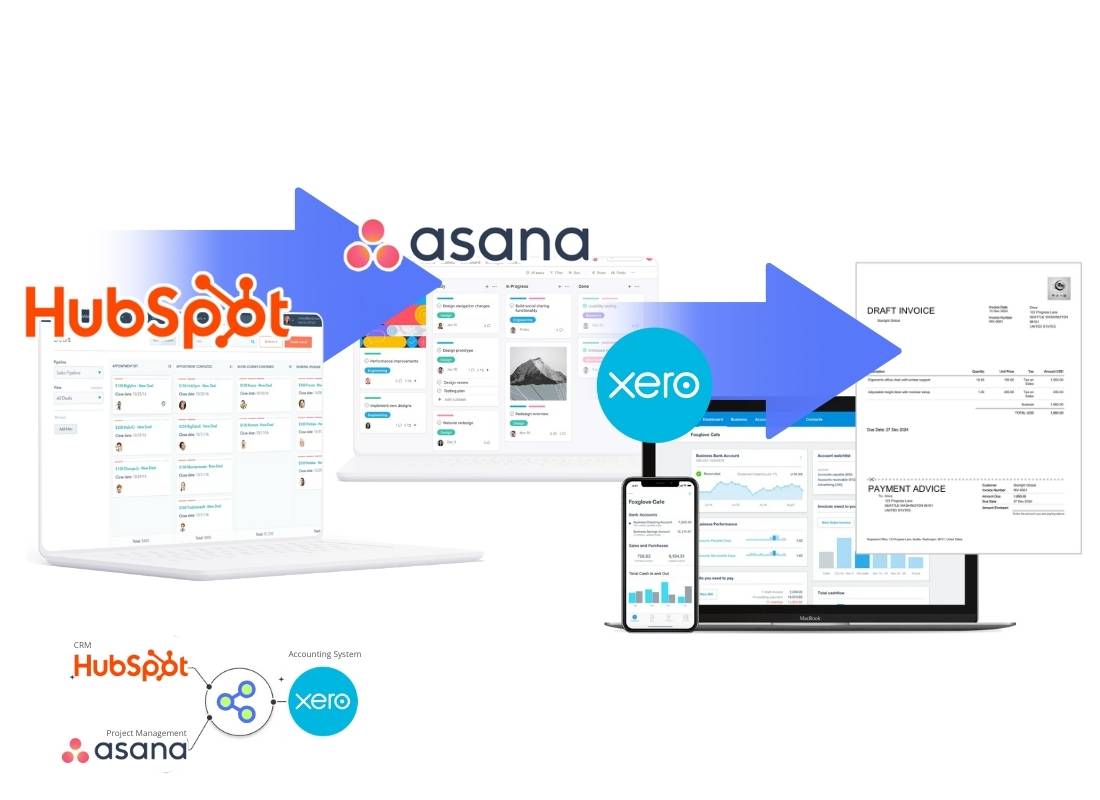
1. Introduction: Why 2026 Is the Year of Full Automation
The business landscape of 2026 is defined by three converging pressures: soaring agency workloads, intense cost-efficiency demands, and the irreversible dominance of remote and hybrid work models. In this environment, manual processes and disconnected software systems are no longer mere inefficiencies—they are existential threats. Silos between sales, project delivery, and finance create catastrophic delays, errors, and client dissatisfaction.
This is why 2026 will be remembered as the year of full, end-to-end automation. Companies that thrive will be those that have seamlessly connected their customer acquisition, service delivery, and financial operations into a single, intelligent workflow. The goal is clear: a deal closed in your CRM should automatically trigger a perfectly structured project, which in turn should govern the entire invoicing and revenue recognition cycle without human intervention.
Enter the definitive software triad for modern business operations: HubSpot, Asana, and Xero. HubSpot reigns as the leader in CRM and sales automation, capturing every lead and deal. Asana is the engine of modern project and task orchestration, turning strategic goals into executable plans. Xero stands as the cloud accounting powerhouse, managing invoicing, payments, and real-time financial health. Individually, they are best-in-class. When integrated and automated, they form an unbeatable operational backbone that eliminates friction, accelerates cash flow, and provides unprecedented visibility from prospect to profit.
The journey to this automated future starts now. Explore our ready-to-deploy automation blueprints →
2. The 2026 Automation Stack: HubSpot → Asana → Xero
The power of this stack lies in the distinct, complementary role of each platform, creating a closed-loop system for business operations.
- HubSpot: The Command Center for Revenue. It's where marketing attracts leads, sales nurtures deals, and the pipeline is managed. Every piece of customer data, deal value, product line item, and close date lives here. It is the trigger for everything that follows.
- Asana: The Orchestrator of Work. When a deal is won, Asana takes the baton. It translates the deal into structured projects, tasks, timelines, and responsibilities. It ensures the promised work is delivered correctly and on time, facilitating collaboration especially for remote teams.
- Xero: The Engine of Financial Health. This is where promises become revenue. Xero automates invoicing based on deal or project milestones, reconciles payments, tracks profitability, and ensures compliance. It provides the definitive financial truth of the business.
Together, they form the "Triad Operations" model. This isn't just about connecting tools; it's about creating a maturity path for your business:
- Manual (Chaos): Data is re-keyed between systems. Finance is always behind.
- Rule-Based Automation (Efficiency): Workflows like "Deal Won → Create Project + Draft Invoice" run automatically. This is the 2026 baseline.
- AI-Augmented Automation (Intelligence): Systems predict project timelines, suggest resource allocation, and forecast cash flow based on historical data across all three platforms.
3. Core Pain Points Companies Face (Before Automation)
Before implementing the HAX (HubSpot-Asana-Xero) stack, companies typically hemorrhage time and money through predictable, painful gaps:
- The Sales-Delivery Black Hole: A deal is marked "Closed-Won" in HubSpot, but the project manager is unaware for days. Client onboarding is delayed, damaging first impressions.
- The Finance Lag: The accounting team manually hunts for closed deals to create invoices, leading to billing delays of weeks, stifling cash flow.
- Onboarding Friction: Creating client folders, setting up communication channels, and configuring project spaces is a days-long manual ritual.
- Data Entry Abyss: The same client name, address, and deal amount is typed into HubSpot, then Asana, then Xero, tripling the risk of errors.
- Costly Financial Errors: Manual invoicing leads to mistakes in currency conversion, tax calculations, and misassignment to the wrong chart of accounts, causing reconciliation nightmares.
These pain points are solved not by working harder, but by connecting your core systems.
4. The 5 Most Important HAX Automations for 2026
This is the core playbook. Implementing these 12 automations will transform your business operations.
1) Deal Won → Auto-create Project Template in Asana
- How it works: A specific deal stage (e.g., "Closed Won") in HubSpot triggers the instant creation of a pre-defined project template in Asana.
- Use Case: A marketing agency auto-creates a "Website Redesign" project with phases for Discovery, Design, Develop, and Launch, assigned to the correct team leads.
2) Deal Won → Auto-create Client Folder & Set Permissions
- How it works: Beyond the project, automation provisions a shared client drive (e.g., Google Drive), adds the client as a guest to relevant Asana tasks, and sets up communication channels.
- Impact: Reduces client onboarding time by up to 70%, providing a professional, instant "wow" factor.
3) Auto-sync Contacts & Companies from HubSpot to Xero
- How it works: New "Company" and "Contact" records in HubSpot are automatically created as "Customers" in Xero, keeping the client database unified and pristine.
- Benefit: Finance never works from an outdated list; duplicate client entries are eliminated.
4) Auto-create Draft Invoice in Xero When Deal Closes
- How it works: The moment a deal closes, a draft invoice is generated in Xero. This supports multiple models:
- Fixed Fee: Invoice for the full deal amount.
- Milestone: Create an invoice for a percentage (e.g., 50% upfront).
- Recurring Retainer: Create the first invoice in a recurring series.
5) Auto-generate Tasks Based on Deal Type or Product
- How it works: The deal's "Service Line" property in HubSpot determines the task template in Asana. A deal for "SEO Campaign" generates different tasks than "CRM Setup."
- 2026 Trend: AI analyzes the deal description to suggest a custom task breakdown, ensuring no step is forgotten.
4.1 Also (Considered) Important Automations for 2026
6) Auto-start Retainer Cycles Every Month
- How it works: For retainer clients, automation triggers monthly: 1) A recurring invoice in Xero, 2) A refreshed "Monthly Deliverables" project in Asana, and 3) A timeline sync to HubSpot for renewal forecasting..
- 2026 Relevance: As businesses shift to subscription-style service models, this automation is critical.
6) Auto-start Retainer Cycles Every Month
- How it works: For retainer clients, automation triggers monthly: 1) A recurring invoice in Xero, 2) A refreshed "Monthly Deliverables" project in Asana, and 3) A timeline sync to HubSpot for renewal forecasting.
- 2026 Relevance: As businesses shift to subscription-style service models, this automation is critical.
7) Time Tracking (Asana) → Billable Hours → Draft Invoice (Xero)
- How it works: Team members log time against tasks in Asana. At the end of a billing period, approved billable hours are automatically compiled into a draft invoice in Xero for that client.
- Perfect For: Agencies, consultancies, and law firms with hourly billing.
8) Multi-Stage Invoice Automation with Currency Handling
- How it works: For large projects, automation creates a series of invoices: "30% upon signing," "40% upon design approval," "30% upon launch." It pulls the correct currency from the deal in HubSpot, ensuring Xero invoices are correctly formatted.
9) Payment Received (Xero) → Auto-update HubSpot & Notify PM
- How it works: When a payment is reconciled in Xero, automation updates the associated deal's "Paid" property in HubSpot and creates a comment or task for the Project Manager in Asana.
- Benefit: Zero manual chasing. Sales knows what's collected, and the PM knows they can proceed to the next phase.
10) Payment Overdue Alerts → Auto-create Collection Task
- How it works: When an invoice in Xero becomes overdue, automation creates a high-priority "Follow-up on Payment" task for the account manager in Asana, with a link to the invoice.
- Impact: Proactive, systematic collections that protect cash flow.
11) Auto-calculate Project Margin from Deal Data
- How it works: The deal amount from HubSpot and estimated project costs (from resource allocation in Asana or fixed costs in the deal) are used to calculate and display projected margin in a dashboard before the project even starts.
- Benefit: Enables proactive decisions on resource allocation and profitability.
12) Monthly Recurring Revenue → Auto-journal Entry Suggestions
- How it works: A 2026 AI-powered automation. The system analyzes recurring revenue from Xero and HubSpot subscriptions, then suggests appropriate accrual-based journal entries in Xero, ensuring GAAP/IFRS compliance with minimal manual accounting effort.
5. The Blueprint: How Data Flows Across HubSpot, Asana, and Xero
Understanding this seamless data flow is key to the Triad model.
A. Sales Workflow (HubSpot - The Source of Truth)
- Deal Stage: Triggers the workflow (e.g., "Closed Won").
- Deal Amount & Line Items: Determines invoice value and service type.
- Close Date: Sets the project start date and invoice date.
- Owner/Account Manager: Becomes the "Project Lead" assigned in Asana.
B. Project Workflow (Asana - The Orchestrator)
- Project Template: Selected based on HubSpot deal properties.
- Task Breakdown & Timeline: Auto-generated, with dependencies.
- Status Updates: Key project milestones (e.g., "Phase 1 Complete") can sync back to a custom property on the deal in HubSpot, giving sales visibility into delivery for future conversations.
C. Finance Workflow (Xero - The Financial Engine)
- Draft Invoice: Created from HubSpot deal data.
- Recurring Invoice: Scheduled based on the service model.
- Payment Reconciliation: Recorded payments trigger updates back to HubSpot.
- P&L Impact: Every invoice and payment automatically reflects in real-time financial reports, giving a true view of profitability by client, service, and team.
Ready to build this blueprint? See our structured implementation packages →
6. Real HAX Automation Scenarios (Industry Examples)
1) Marketing Agency (Retainer Model)
- Challenge: Managing 30+ retainer clients with monthly deliverables, invoicing, and reporting.
- HAX Solution: A "New Retainer" deal in HubSpot triggers: a 12-month recurring invoice series in Xero, a duplicate of the "Monthly Marketing Retainer" project template in Asana for each month, and a shared reporting dashboard for the client. Payment notifications auto-update the HubSpot company record.
2) Software Implementation Services (Milestone-Based)
- Challenge: Complex, phased projects where billing is tied to specific deliverables (e.g., "UAT Sign-Off").
- HAX Solution: A "Implementation Project" deal has custom stages. Moving to "UAT Complete" in Asana triggers automation to send the milestone invoice from Xero and notify the sales lead in HubSpot.
3) Accounting & Bookkeeping Firms
- Challenge: Intaking new clients, onboarding their data, and managing recurring compliance work efficiently.
- HAX Solution: A "New Client Onboarding" form in HubSpot creates a deal. When won, it triggers: a client folder setup, a detailed "Bookkeeping Onboarding" checklist in Asana for the team, and the creation of the client in Xero (if new) or a connection to their existing Xero file for delegated access.
7. 2026 Trends You Must Follow (AI, Multi-Currency, Compliance)
To future-proof your HAX stack, integrate these 2026 trends:
- AI for Predictive Planning: AI will analyze past project data in Asana (task duration, resource usage) to predict timelines and flag risks for new deals in HubSpot.
- AI-Based Revenue Forecasting: HubSpot pipelines, enriched with historical close rates and deal sizes, will feed AI models in platforms like Power BI to provide dynamic, accurate revenue forecasts.
- Multi-Country Compliance: Automation will handle region-specific tax rules (GST, VAT, Sales Tax) in Xero based on the client's country from HubSpot, and ensure invoicing complies with local regulations.
- Payment Automation: Deep integration with Stripe/PayPal will see "Pay Now" links on invoices auto-reconcile in Xero and update HubSpot in real-time.
- Predictive Pipeline Movement: AI will suggest moving deals to the next stage in HubSpot based on engagement signals and correlated project completion signals from Asana.
8. Pricing & Cost Structure for HAX Automations (2026 Update)
Implementing these automations can be approached flexibly. Costs typically align with the level of customization and support:
- Self-Service Templates: Access to in-built automation templates and guides for a flat fee or low subscription.
Start Automating Your Sales, Projects & Finance
The future of efficient, scalable, and profitable business operations is not a single tool, but a perfectly synchronized system. The HubSpot-Asana-Xero (HAX) stack represents the gold standard for end-to-end workflow automation in 2026.
Stop letting deals fall through the cracks between departments. Stop wasting nights on manual invoicing and reconciliation. Start building a business where your systems work for you, providing clarity, accelerating growth, and freeing your team to do what they do best.
Get cDoc HAX Free for 14 Days
Includes onboarding call + templates pre-installed.
FAQ
What is the Hubspot–Asana–Xero (PAX) automation?
It is a Deal-to-Delivery workflow automation that connects your CRM (Hubspot), project management system (Asana), and accounting software (Xero). When a deal is marked Won in Hubspot, a project is instantly created in Asana and a draft invoice is generated in Xero — with no manual handoffs.
Does this send invoices automatically?
No. The integration creates a draft invoice in Xero. You can review, edit, or finalize the invoice before sending it to clients, ensuring full control and accuracy.
How long does the setup usually take?
Typical implementation takes 2–48 hours, depending on your pipeline complexity, required task templates, and custom field mappings between systems.
Is the automation secure?
Yes. cDoc follows security best practices including TLS encryption, scoped API tokens, role-based access, isolated execution environments, and full audit logging for every automation run.
Do I need coding knowledge to use this?
No coding is required. The cDoc integration is pre-built with guided mapping, templates, and validation steps. Developers can extend it, but non-technical teams can launch it independently.
Can the workflow be customized?
Yes. You can customize task templates, deal mapping, naming conventions, invoice line items, revenue accounts, due dates, and additional actions such as Slack notifications or Google Drive folder creation.
What happens if a deal is updated after it's marked Won?
By default, the automation triggers only once when the deal becomes Won. Optional settings allow you to sync updates such as revised amounts, timeline changes, or client information.
Is this suitable for small teams?
Absolutely. Solo consultants and small agencies benefit the most because the automation removes admin work and ensures consistent client delivery. Larger teams gain scalability and operational reliability.
Can this integrate with other systems?
Yes. The same framework supports other stacks such as HubSpot → Asana → Xero (HAX) and Hubspot → Asana → QuickBooks (PAQ) (Coming soon). Additional custom integrations like Slack, Notion, ClickUp, or Google Workspace can also be added.