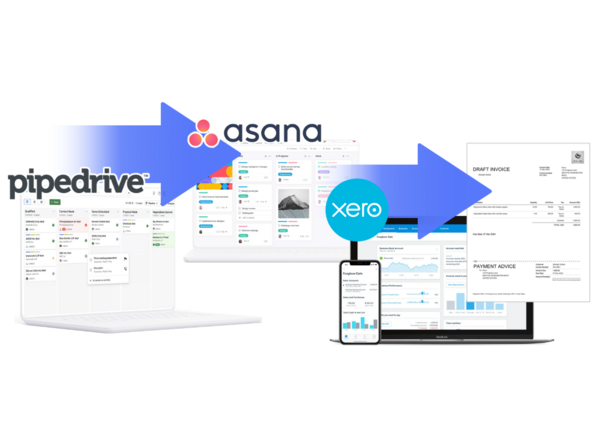
1. Introduction: Why the PAX Integration Matters in 2026
In 2026, agencies, consultants, and B2B service providers face the same operational bottleneck: **disconnected systems** between sales, operations, and finance. Sales teams work in Pipedrive, project managers operate in Asana, and finance teams rely on Xero—but the majority of businesses still manage these platforms manually. This leads to:
- Duplicate data entry
- Lost information during handoffs
- Delayed invoicing
- Missing project briefs
- Misaligned deadlines
- Poor sales → ops → finance visibility
The
Pipedrive–Asana–Xero (PAX) Integration
solves this by automating every critical workflow between these three platforms.
This Cluster Hub is designed to function as your central PAX knowledge base, explaining how the system works, why it matters, and how each automation contributes to scalability.
2. What Is the PAX Automation System?
The PAX system refers to the end-to-end workflow automation that connects:
- Pipedrive (Sales CRM)
- Asana (Project management)
- Xero (Accounting & invoicing)
Instead of treating these platforms as separate silos, PAX turns them into a single unified revenue engine.
Key Outcomes
- ✔ Deal Won → Asana project automatically created
- ✔ Project Milestone → Xero invoice automatically generated
- ✔ Recurring retainer → Xero recurring invoice auto-created
- ✔ Payment status → sync back to Pipedrive
- ✔ Zero manual data entry
It transforms the workflow of growth-focused businesses.
3. Why Most Agencies Need This Integration
Many agencies experience major operational pain:
This leads to revenue leakage, client frustration, and team burnout.
The PAX system eliminates all of these problems.
4. High-Level Workflow Overview
4.1 Pipedrive → Asana
Triggered when a deal reaches a specific stage (like **Won**).
Automations:- Create project from template
- Assign project owner
- Import deal notes into project brief
- Auto-generate timeline & task deadlines
- Map Pipedrive products to Asana sections
4.2 Asana → Xero
When a project hits billing-ready stages:
- Generate invoice draft
- Auto-create line items
- Apply correct taxes
- Push invoice to Xero
- Sync invoice URL to Asana for PM reference
4.3 Pipedrive → Xero
On deal closure or milestone:
- Auto-create invoice
- Handle deposit percentage
- Multi-currency logic
- Recurring invoice scheduling
- Update payment status in Pipedrive
5. Who Uses the PAX Integration?
This ecosystem is most impactful for:
Branding, design, video teams—where every new deal becomes a structured project.
SEO, PPC, content teams need milestone-based billing.
CRM setup services, onboarding consulting, technical agencies.
Development cycles, sprint planning, progress-based invoicing.
Retainers, multi-phase projects, deliverables tied to billing.
High volume of recurring services with multi-currency clients.
6. The Three Core Automation Clusters
Cluster #1 — Deal Won → Automated Asana Project Creation
This is the backbone of sales → operational execution.
When a Pipedrive deal reaches a defined stage, your system instantly:
- Creates a new Asana project
- Applies the correct template
- Maps deal value → task capacity
- Assigns project owner & contributors
- Generates timelines based on SLA
- Copies deal notes into brief
- Auto-attaches client documents
- Zero delay between sales & operations
- 60–90 minutes saved per project
- Zero missing information
- Standardized project structures
Cluster #2 — Project Milestones → Xero Invoice Trigger
Perfect for milestone-based service businesses.
When a task or section is marked as complete:
- Xero invoice automatically created
- Line items based on milestone type
- Multi-currency rules applied
- Invoice link returned to Asana
- Finance notified via Slack or email
- No one forgets to bill for work
- Faster cash flow
- Finance doesn't need project details
- Project managers don’t chase invoices
Cluster #3 — Deal Won → Xero Invoice (including Recurring)
Useful for both one-time and retainer-style billing.
Automation includes:
- One-off invoices
- 30/70 split deposits
- Hour-based or service-based line items
- Retainer recurring invoices
- Automatic scheduling for the next cycle
- Multi-currency rounding and tax calculations
- Ensures prompt billing
- Reduces revenue leakage
- Keeps cash flow predictable
- No manual entry for recurring invoices
7. Technical Architecture (Explained Simply)
The **PAX system** follows a **four-layer automation architecture**:
7.1 Trigger Layer INPUT
Events that activate workflows:
- Pipedrive Stage change
- Deal Won event
- Asana milestone completion
- Custom field changes
7.2 Transformation Layer LOGIC
Business logic applied:
- Template selection
- Currency conversion
- Line item mapping
- Deadline calculations
- User assignment rules
7.3 Execution Layer ACTION
Actual creation happens:
- Create Asana project
- Create Xero invoice
- Create recurring invoice schedules
- Update Pipedrive fields
7.4 Return Sync Layer FEEDBACK
Status updates return to each platform:
- Asana → Pipedrive project status
- Xero → Pipedrive payment updates
- Error logs into dashboard
This full loop ensures accuracy, visibility, and real-time alignment.
8. Detailed Benefits Breakdown
A deep-dive into the operational advantages:
-
8.1 Eliminates Admin Work
Teams reduce 5–8 hours weekly from manual creation, checking, updating, and copying data.
-
8.2 Improves Onboarding Speed
Projects start instantly after closing deals.
-
8.3 Removes Human Dependency
No need to wait for PMs or finance to “have time” to create structures.
-
8.4 Better Cash Flow Management
Invoices go out immediately—no delays mean healthier revenue flow.
-
8.5 Accurate Reporting
All systems reflect the same source of truth.
-
8.6 Predictable Service Quality
Templates ensure every client gets the same high-quality workflow.
-
8.7 Scalable Processes
Great for agencies growing from 10 → 30 → 100 clients.
-
8.8 Reduced Errors
Client names, amounts, deadlines, notes—everything syncs correctly.
9. Multi-Currency Logic in 2026
The PAX automation supports:
How it works
- Detects currency from Pipedrive deal
- Pulls exchange rate rules (if configured)
- Creates invoice in Xero using correct formatting
- Applies local taxes (GST, VAT, etc.)
- Rounds values based on rules
Advanced Features
- Currency fallback rules
- FX adjustments
- Region-based invoice templates
- Default line items per region
10. Real-World Example: Marketing Agency Workflow
Let’s take a real scenario for clarity:
-
Step 1:
Deal Won in Pipedrive
- Deal: “SEO Retainer – $3,000/mo”
- Deal stage: Won
- Currency: USD
- Notes: Attach proposal & keyword plan
-
Step 2:
Asana Project Auto-Created
- Project name: “SEO Retainer – BrandName”
- Template: SEO Monthly Plan
- Tasks auto-created: Technical audit, Content plan, Monthly reporting
- Owner assigned
- Monthly deadlines auto-generated
-
Step 3:
Xero Recurring Invoice Created
- Amount: $3,000
- Cycle: Monthly
- Tax: 0% (US)
- Client: auto-synced
- First invoice: immediate
- Next invoices: auto-scheduled
-
Step 4:
Status Returns to Pipedrive
- Project URL added
- Invoice URL added
- Payment updates sync automatically
This reduces 3–5 hours of manual work per client per month.
11. Pricing Breakdown
Basic
$39/mo
Pro
$79/mo
Enterprise
$149/mo
Each tier unlocks more complex workflow logic and higher throughput.
Ready to Transform Your Workflow?
Experience the efficiency of the PAX system today.